

Where your views come from
What each View Sources category means, from NFC taps and QR code scans to your email signature and virtual background.
The View Sources panel on your card analytics shows how people reached your card. CloudCard works this out from a short tag added to the link each sharing method uses.
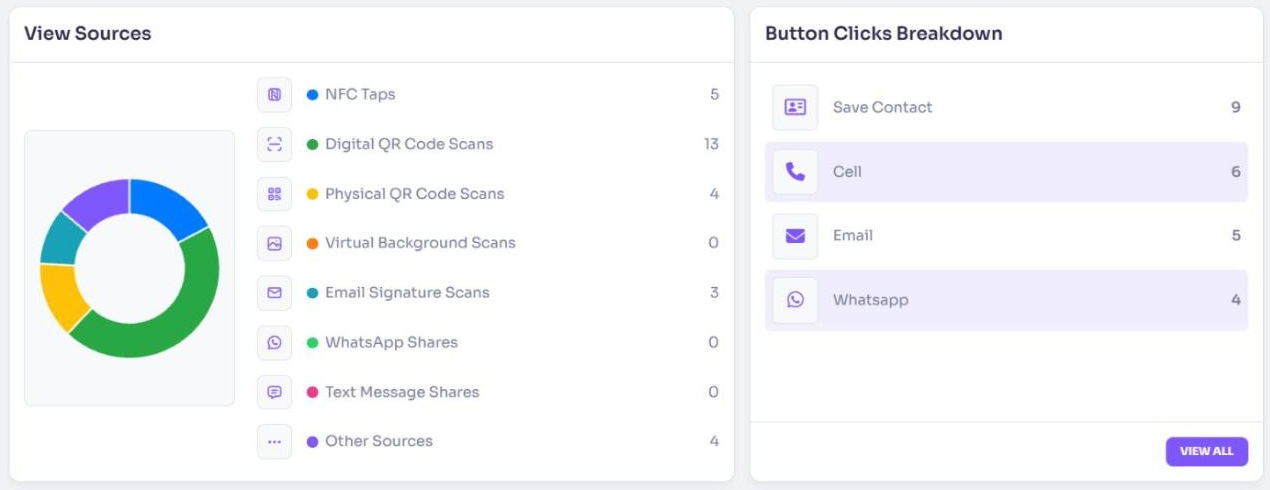
The sources
| Source | What it counts |
|---|---|
| NFC Taps | Views from tapping a CloudCard NFC card |
| Digital QR Code Scans | Scans of the QR code shown on your card on screen |
| Physical QR Code Scans | Scans of a QR code you downloaded, for example one printed on a flyer or business card |
| Virtual Background Scans | Scans of the QR code on your CloudCard virtual background |
| Email Signature Scans | Scans of the QR code in your CloudCard email signature |
| WhatsApp Shares | Views from your card link shared on WhatsApp |
| Text Message Shares | Views from your card link shared by text message |
| Other Sources | Everything else |
What ends up in Other Sources
Views count as Other Sources when the link carried no source tag. This includes:
- Your card link copied and pasted into an email, chat or website.
- Your card opened from Apple Wallet or Google Wallet.
- Clicks on your card link in your email signature (as opposed to scans of its QR code).
Tips for clearer numbers
- Use the QR code you download for print, so printed scans show as Physical QR Code Scans. See Download your QR code.
- A high Other Sources count usually means people are opening a plain link to your card.
The panel follows the Week, Month or Year you choose at the top of the page.
Related
Was this article helpful?
Thanks for letting us know.
Still stuck?
Send us a message and we'll know which article you were reading. Or email [email protected].