

Ways to share your card
Share your digital business card by link, QR code, NFC card, wallet pass or home screen, and pick the right one for the moment.
ForCardholders
On this page
Your CloudCard lives at its own web link, so anyone with a phone and a browser can open it. Nobody needs an app. There are several ways to get that link to people, and every one of them opens the same, always up-to-date card.
Quick guide
| You’re… | Try this |
|---|---|
| Meeting someone face to face | Show your QR code or tap your NFC card |
| Sending an email, message or post | Share your card link |
| Presenting or printing materials | Download your QR code and add it to your slides or print |
| Wanting your card ready on your phone | Add it to your wallet or home screen |
Share your link
Every card has a link like https://app.cloudcard.co.za/your-company/your-name. Copy it from your dashboard, or tap Share your card to send it through WhatsApp, email or any app on your phone. See Share your card link.
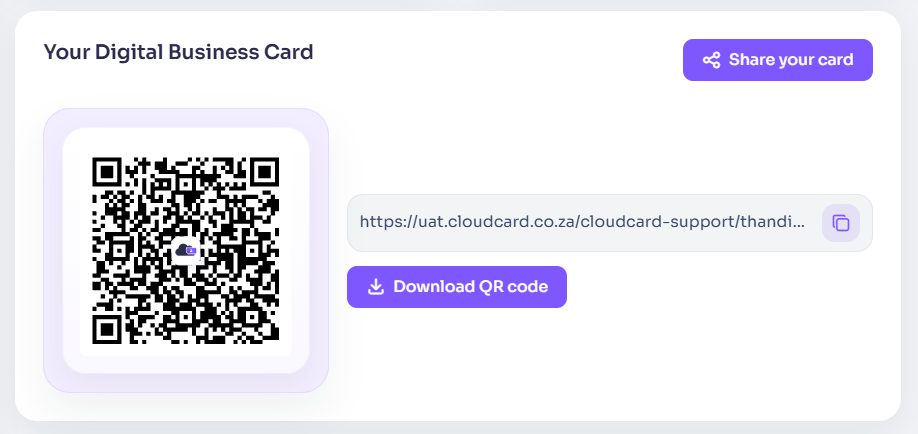
Show your QR code
Open your card and tap the QR code icon at the bottom. The other person points their phone camera at your screen. See Show your QR code.
Download your QR code
Download a PNG of your QR code to print on flyers, name badges, posters or presentation slides. See Download your QR code.
Tap your NFC card
An NFC business card opens your digital card when someone taps it against their phone. See Share your card with a tap.
Keep it in your wallet or on your home screen
Add your card to Apple Wallet or Google Wallet, or save it to your phone’s home screen, so it’s always one tap away, even with a weak signal. See:
Other places your card shows up
- Your email signature: see Build your email signature.
- Video calls: see Create your virtual background.
Was this article helpful?
Thanks for letting us know.
Still stuck?
Send us a message and we'll know which article you were reading. Or email [email protected].