

How CloudCard billing works
Per-card pricing, VAT, billing cycles, renewals, pro-rata charges and what happens when you add or remove cards.
ForAdmins
On this page
This page explains how CloudCard charges your organisation. For current prices, see the pricing page.
What you pay for
- Pro and Premium are priced per digital card. Each active team member uses one card on your subscription.
- Email Signature is priced per licence. Licences are counted separately from Digital Card seats. On Premium, every card already includes a licence.
- Free costs nothing and includes one digital card.
Prices are in South African rand (ZAR) and exclude VAT. VAT is added at 15%, and your checkout and invoices show the subtotal, VAT and total.
Billing cycles
You choose monthly or annual billing. Annual Pro and Premium billing saves 10%, and annual Email Signature billing gives you 2 months free per licence.
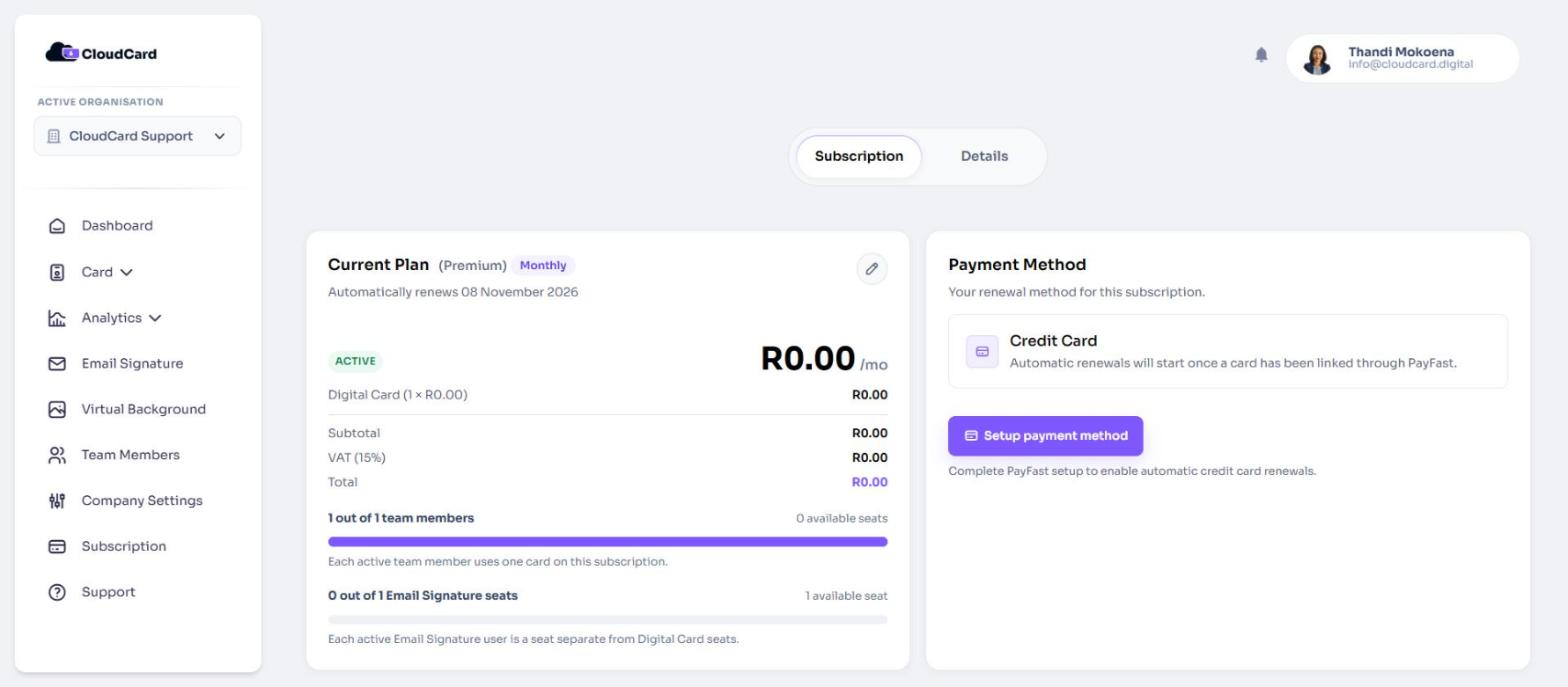
Your subscription renews automatically at the end of each cycle until you cancel. There’s no separate contract to sign. You can switch between monthly and annual or cancel from the Subscription page.
About 7 days before each renewal date, CloudCard emails your billing email address a reminder with the billing date and payment method.
Adding and removing cards during a cycle
- Adding cards is charged straight away for the days left in your current cycle (a pro-rata charge). The new cards apply as soon as PayFast confirms the payment. If the pro-rata amount is under R5 (PayFast’s minimum charge), the cards apply immediately and the amount is added to your next bill.
- Removing cards never applies immediately. The lower card count starts at your next billing cycle, so you keep the cards you’ve paid for until then.
- Upgrading from Pro to Premium is also charged pro-rata straight away.
See Add more cards to your plan for the steps.
Where to find your billing
If you’re an admin, click Subscription in the left menu. The page has two tabs:
- Subscription shows your plan, payment method and billing history.
- Details holds the billing details used on your invoices.
If you don’t see Subscription in the menu, you’re not an admin, or your organisation is billed through a CloudCard partner. Ask your admin or contact support.
Related
Was this article helpful?
Thanks for letting us know.
Still stuck?
Send us a message and we'll know which article you were reading. Or email [email protected].