

Lead score, status and tags
Use the lead score, the lead status and tags to show how close a lead is to buying, whether it's worth working, and what it's about.
PlansProPremiumCompare plans
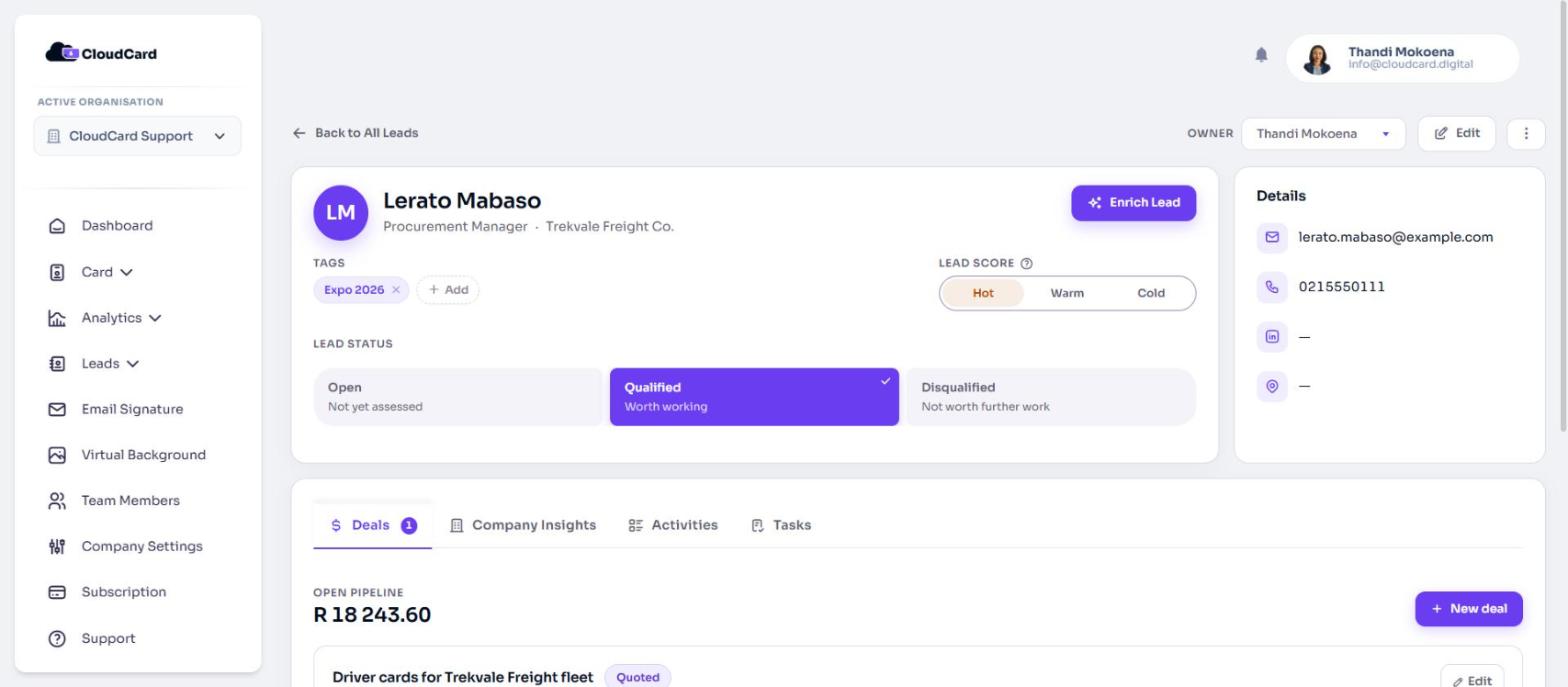
Every lead has three ways to describe it, all at the top of the lead’s page. Each answers a different question, so set them separately.
Lead Score
The score is your judgement of how close the lead is to buying. It’s not about how big their company is, or how much you want the deal.
| Score | Meaning |
|---|---|
| Hot | In conversation, ready to move |
| Warm | Interested, but no timeline yet |
| Cold | No engagement yet |
A new lead is Unscored, which means nobody has judged it yet. That’s different from Cold.
To set the score, open the lead and click Hot, Warm or Cold under Lead Score. It saves straight away. To clear it back to Unscored, click the selected score again.
Lead Status
The status says whether the lead is worth working.
| Status | Meaning |
|---|---|
| Open | Not yet assessed |
| Qualified | Worth working |
| Disqualified | Not worth further work |
New leads start as Open. To change it, click an option under Lead Status. It saves straight away.
The status isn’t a sales pipeline. Progress towards a sale is tracked on each deal. See Deal stages explained.
Tags
Tags are short labels you choose, such as “expo 2026” or “reseller”.
- Add a tag: next to Tags, click Add, type the tag and press Enter.
- Remove a tag: click the x on the tag.
Tags can use letters, numbers, spaces, hyphens and apostrophes. A lead can’t have the same tag twice.
You can also add tags when you scan a card or create a lead by hand.
Use them to find leads
On your leads list, the Score and Status columns show these values, and the Filter panel can narrow the list by Status, Score (including Unscored) and Tags. See View and filter your leads.
Who can change them
You can change the score, status and tags on leads you own. Admins can change them on any lead in the organisation.
Related
Was this article helpful?
Thanks for letting us know.
Still stuck?
Send us a message and we'll know which article you were reading. Or email [email protected].