

What is lead capture?
How CloudCard collects the details of people you meet, where those leads go, and who can see them.
PlansProPremiumCompare plans
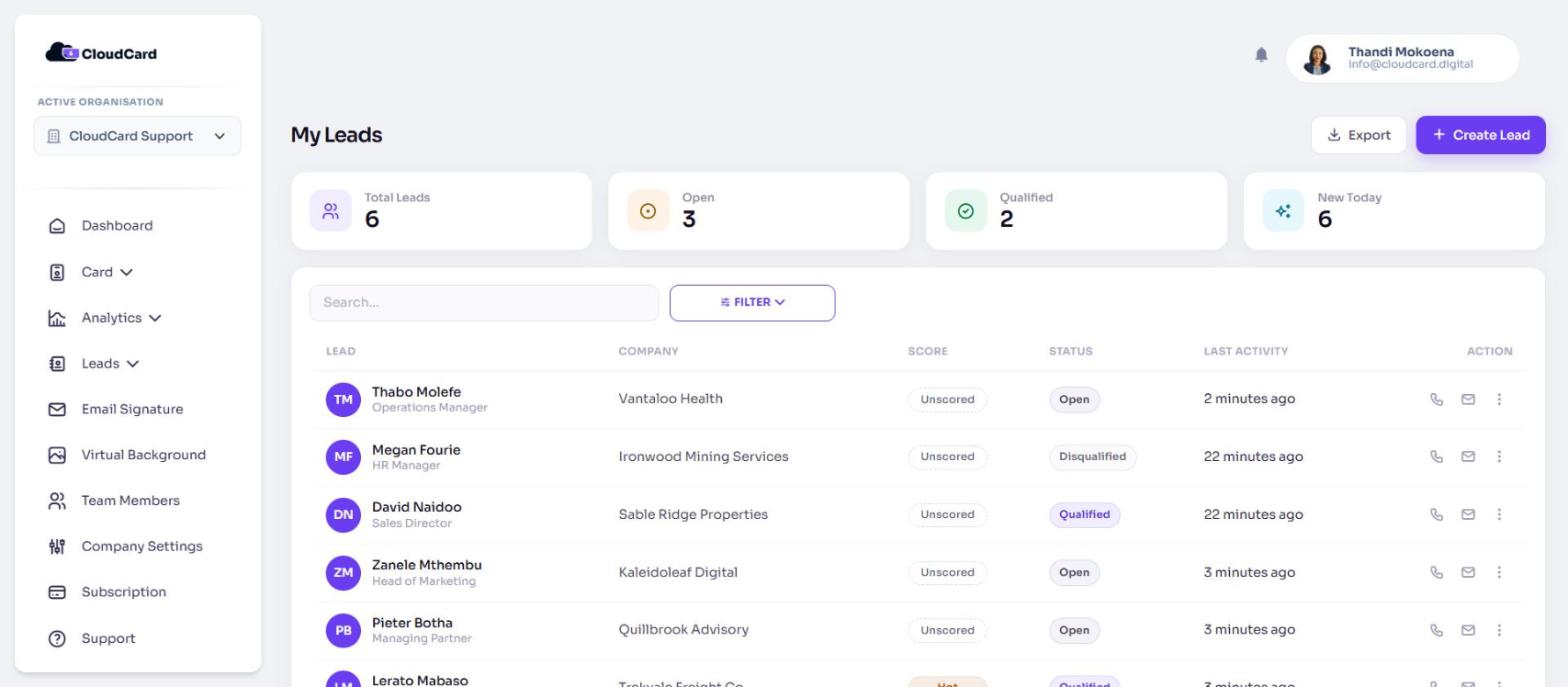
A lead is someone who has shared their contact details with you. CloudCard keeps your leads in one list, with a built-in CRM for scoring them, logging follow-ups and tracking deals.
How leads arrive
Leads reach CloudCard in three ways:
- The lead capture form on your card. When your admin turns it on, tapping Save contact on your card asks the visitor to share their details with you before the contact downloads. See What visitors see on the lead capture form.
- The AI Scanner. Photograph a paper business card or an event badge and CloudCard turns it into a lead. See Scan a business card or event badge.
- By hand. On your leads page, click Create Lead and type the details in.
Where leads go
A lead belongs to the person whose card captured it, inside that person’s organisation.
- When someone fills in the form on your card, you get an email headed “You have a new lead” with their details and a View leads button.
- The person who filled in the form gets a confirmation email with a link back to your card.
- The lead appears in your list straight away.
In the left menu, open Leads:
- View My Leads shows the leads you own. Everyone sees this.
- View All Leads shows every lead in the organisation. Only admins see this.
- Deals opens the deals board. See Create a deal.
- AI Scanner opens the scanner for your card.
If your plan doesn’t include leads
Leads are part of the Pro and Premium plans. On other plans, Leads shows in the menu with a lock icon. Hovering over it shows “Leads is available on Pro and Premium - upgrade to unlock”. The page itself shows Unlock Leads over a blurred sample list.
Related
Was this article helpful?
Thanks for letting us know.
Still stuck?
Send us a message and we'll know which article you were reading. Or email [email protected].