

Export your user list
Download an Excel file of everyone with a card in your organisation, with their contact details and roles.
PlansProPremiumEmail SignatureCompare plans
ForAdmins
You can download your organisation’s users as an Excel spreadsheet. The download is the Update Users Template, the same file you’d use to update details in bulk, so it lists your users with their current details.
Steps
- Click Team Members in the left-hand menu.
- Click Add Users, then Excel import.
- Click Update Users Template.
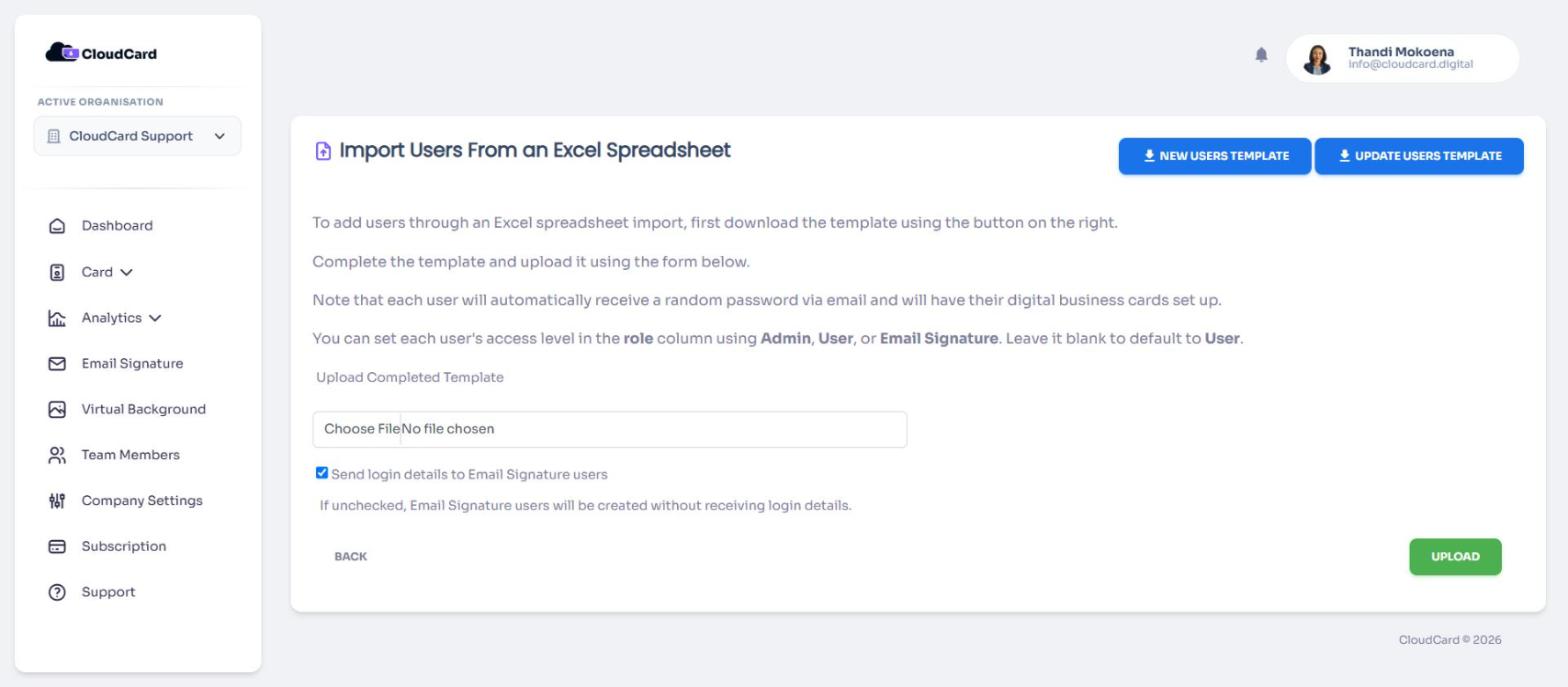
A file called cloudcard-update-template.xlsx downloads. Nothing is imported or changed when you download it.
What’s in the file
One row per person, with these columns:
- name, job title and email address
- phone numbers (mobile, office and other)
- address, note and department
- website, calendar booking link, WhatsApp and social media links
- organisation name and role (Admin, User or Email Signature)
If you manage more than one organisation, switch to the right one first. The file only covers the active organisation. See Switch between organisations.
Using the file to make changes
You can edit the file and upload it again to update people in bulk. Read Import users from Excel first: blank cells clear details from cards when you upload.
Was this article helpful?
Thanks for letting us know.
Still stuck?
Send us a message and we'll know which article you were reading. Or email [email protected].